

Leave requests
Request leave, approve your team's requests, and set up leave types, balances and public holidays.
Employees ask for leave in the workspace, their manager decides, and Hafoso keeps every balance up to date. Only working days count: weekends and your public holidays are skipped automatically.
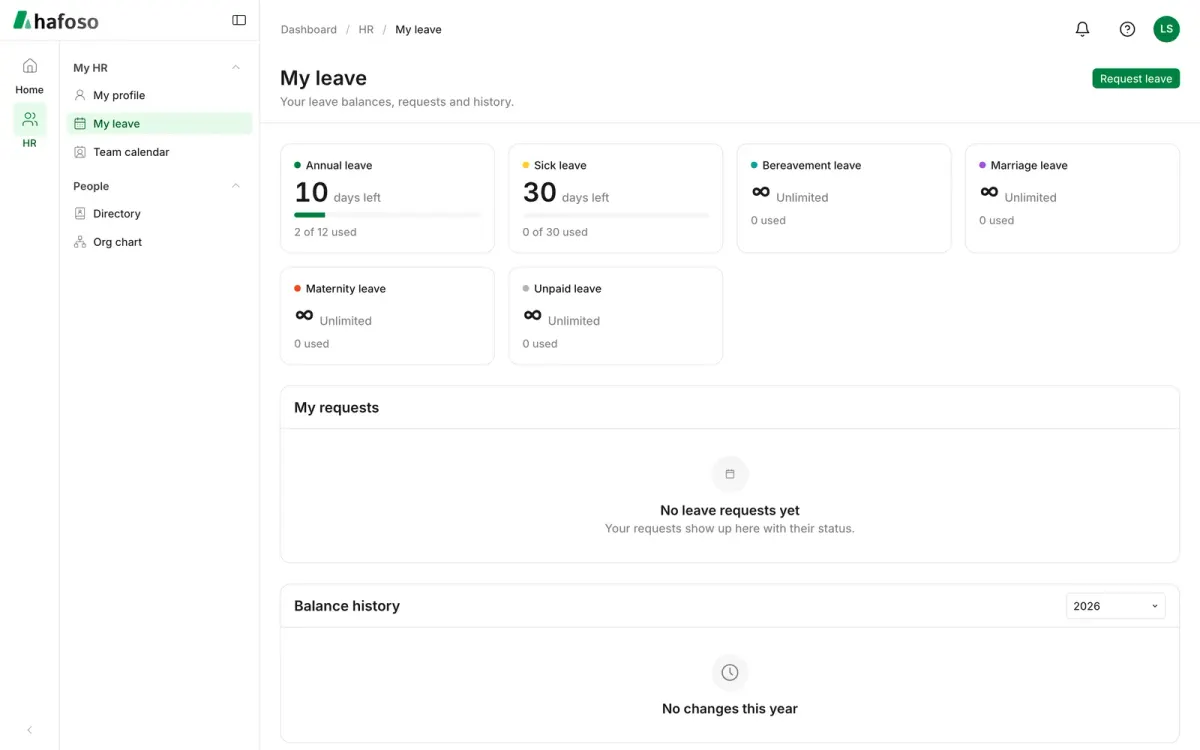
Request leave
Open HR → My HR → My leave. You see your Balances and My requests.
Select Request leave and choose the Leave type and the dates. For a half day, set First day or Last day to Morning only or Afternoon only.
Check the Summary: how many working days the request takes and how many days you have left after it.
Add a Reason and, if the leave type asks for one, an Attachment such as a medical certificate. Select Submit.
Your manager is notified, and you're notified of their decision. While a request is Pending you can Cancel request. For approved leave that hasn't started yet, use Ask to cancel; once your approver accepts, the days go back to your balance.
Approve or reject
Requests waiting for you appear in HR → My HR → Approvals. Open one and select Approve or Reject; rejecting needs a Comment. For a cancellation request, choose Accept or Decline.
Requests go to the employee's manager. If the employee has no manager, they go to HR approvers: people whose role has Approve any leave. Set Stand-in approvers in HR Settings to cover for an approver who is away.
Nobody can decide their own request, even with Approve any leave.
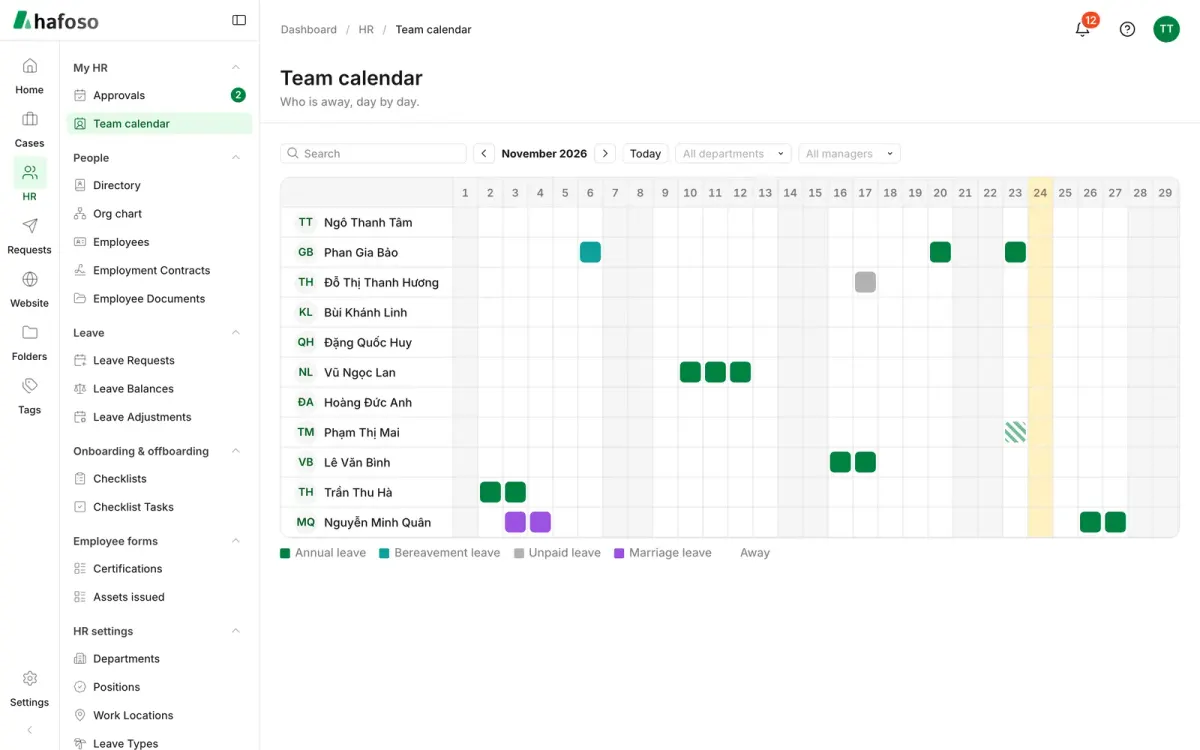
HR → My HR → Team calendar shows who is away, day by day. Filter it by department or manager, or search for a person.
Balances and adjustments
HR staff with Manage leave see every request and balance under HR → Leave:
- Leave Requests: everyone's requests. Use Record leave to enter leave for an employee; you can save it as already approved with Mark as approved.
- Leave Balances: each employee's Allowance, Used, Pending and Remaining days per leave type and year.
- Leave Adjustments: add or remove days by hand. A Reason is required, and the change shows in the employee's balance history.
Leave types and public holidays
Set the rules in HR → HR settings → Leave Types. Your workspace starts with types that follow Vietnamese labour law, such as Annual leave (12 days per year), Sick leave and Unpaid leave. For each type you choose:
- the Allowance: Days per year, Days per request or Unlimited;
- whether it's Paid, Unpaid or Social insurance;
- +1 day per 5 years of service and Pro-rate for joiners and leavers;
- Half days allowed, Document required and Allow a negative balance;
- Days carried over to next year and when they expire.
List your holidays in HR → HR settings → Public Holidays. If you add a holiday that falls inside approved leave, the request and the balance are recalculated and the employee is told.
A leave type that's already used by requests can't be deleted. Untick Active to stop offering it.
Last updated on
Still need help?
Our team answers by email, usually within one working day.