

Getting started
Sign in, invite your team and set up your Hafoso workspace in a few minutes.
Your workspace is where your team works in Hafoso: HR, cases, forms, automations, billing and your website all live
in one place at your workspace address, for example acme.hafoso.com/app.
Sign in
Open your workspace and reset a forgotten password.
Invite people
Add your team by email and choose what they can do.
Roles and permissions
Decide who can see and change each part of the workspace.
Workspace settings
Your logo, colours, language and appearance.
Find your way around
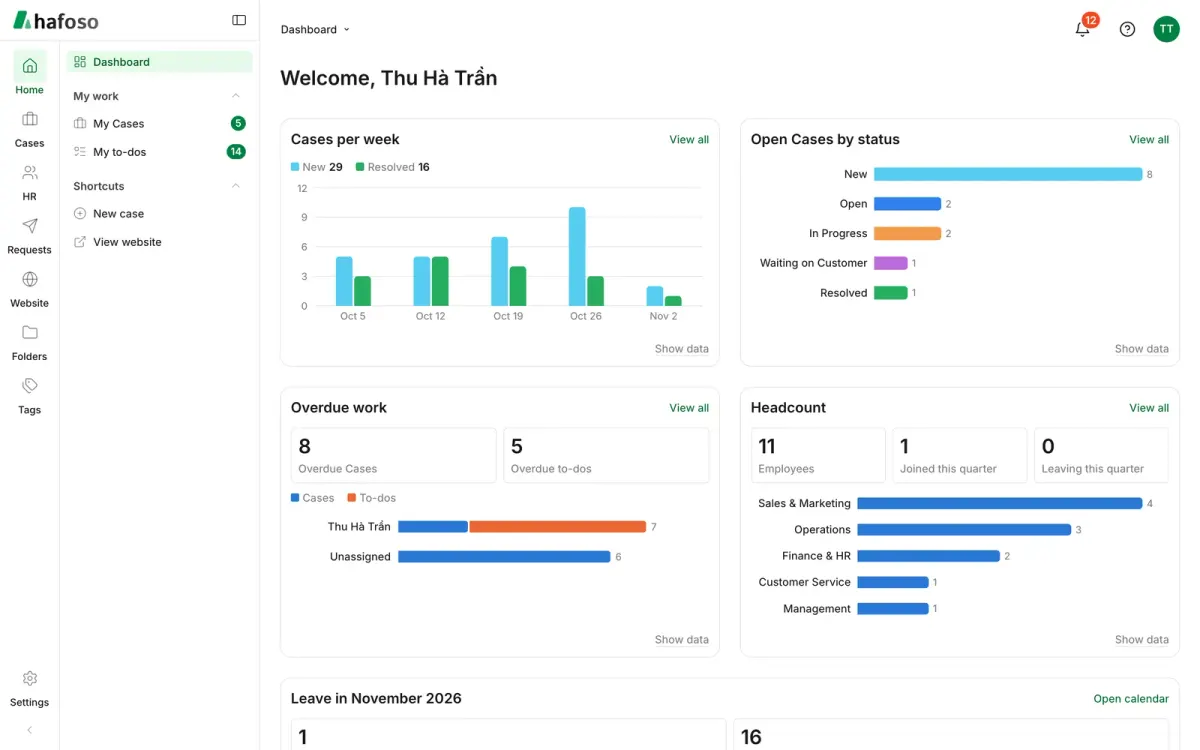
The sidebar groups everything into tabs. You only see the tabs your roles allow.
- Home: your dashboard, with what needs your attention.
- My work: your to-dos, your cases and your own HR pages.
- HR, Case Management, Requests: the modules your workspace uses.
- Website: your pages, posts, media and Site Settings.
- Settings: people, roles, automations, email and billing.
Look for the ? button at the top right of every workspace screen. It opens the help article for the screen you're on, in your language.
Last updated on
Still need help?
Our team answers by email, usually within one working day.