

Roles and permissions
Decide who can see and change each part of your workspace with roles.
What someone can do in your workspace comes from their roles. A role is a named set of permissions, such as "HR manager" or "Case handler". A person can hold several roles; they can do everything any of them allows.
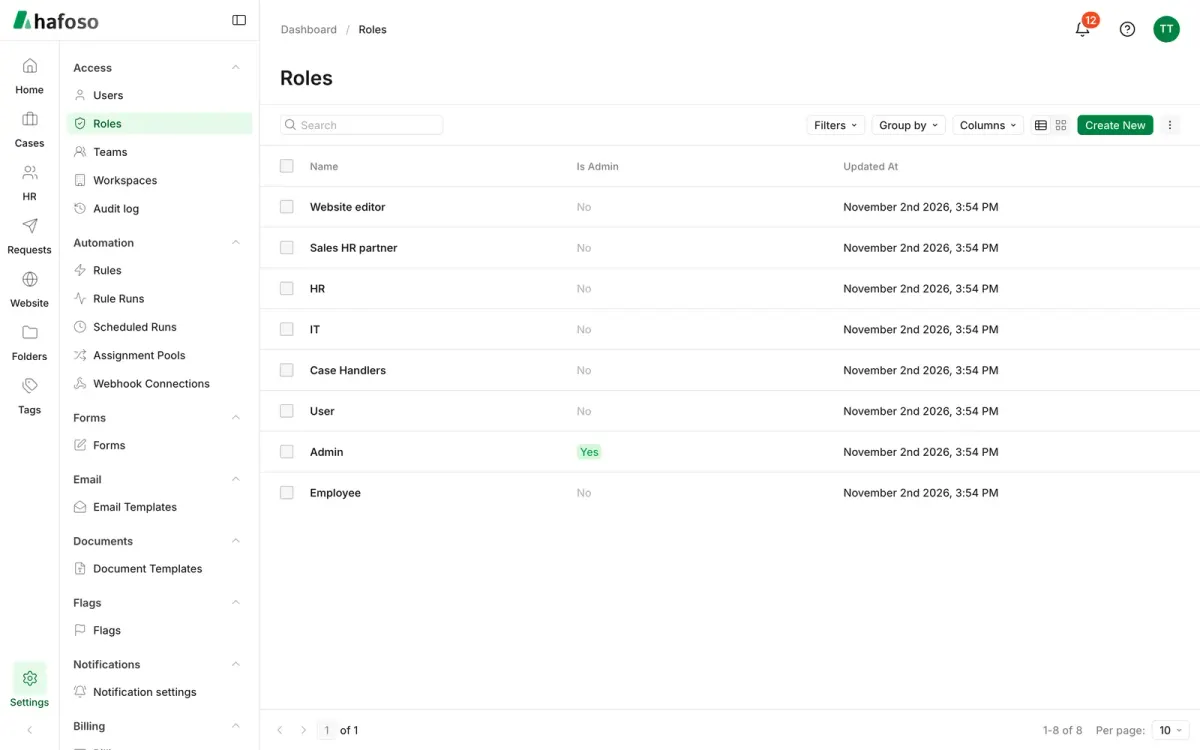
The roles every workspace starts with
| Role | Who it's for | What it allows |
|---|---|---|
| Admin | The people who run the workspace | Everything, including people, roles, settings and billing |
| User | Everyone else, by default | Nothing until you give the role permissions, or give the person another role |
| Employee | Employees who sign in for self-service | Their own profile, leave, documents and to-dos only |
Keep at least two people with the Admin role, so the workspace never depends on one account.
Create a role
Open Settings → Access → Roles and select Create new.
Give the role a clear Name, and optionally a Description of who should hold it.
In the permissions table, tick what the role may do for each area: Read, Create, Update and Delete. Hover a permission to see exactly what it covers. Some areas have their own permissions, such as Manage billing or View personal details for employees.
Save. Give the role to people from their user record, or when you invite them.
Leave Is Admin unticked unless the role should have full access to everything.
Teams
Teams group people for work, not for access: for example, so automations can assign new cases to whoever is next in a team. Manage them in Settings → Access → Teams.
Last updated on
Still need help?
Our team answers by email, usually within one working day.